
- Knowledge base
- Getting started
How to add manually a service in your booking with an existing product
Go into your booking
Click on New line
Start with the product in the 2nd Field and system will populate the existing products, starting with that product code / name
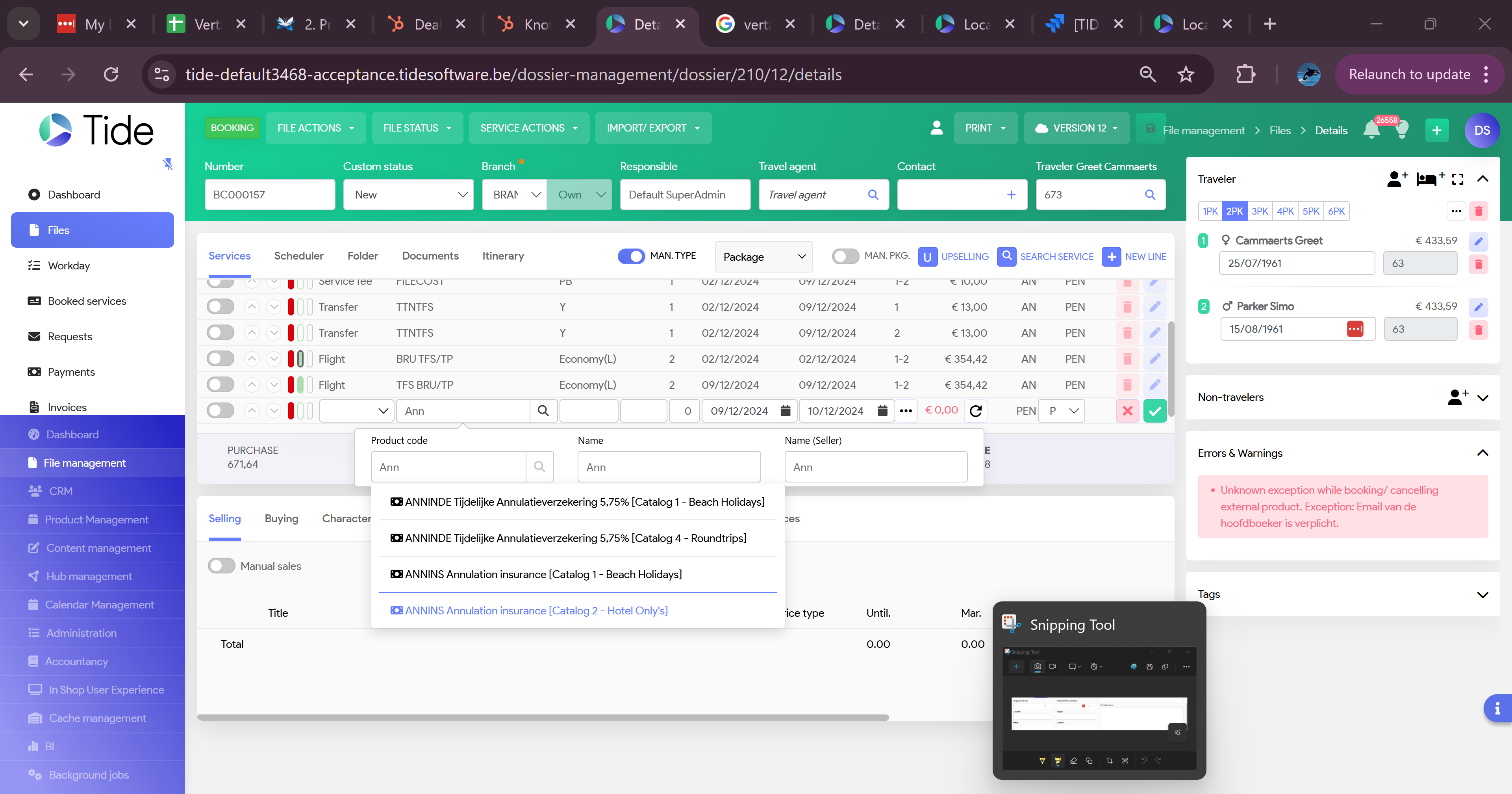
Ensure your Start and End date are set correct
Click on calculation and system will retrieve the Buying price and calculate the Selling price
Close your line (click on the green arrow) and save your Offer / booking.