
Go into your Product
Go to tab Price blocks and select from Actions
- Create for all Accommodations
- Create for all Regimes
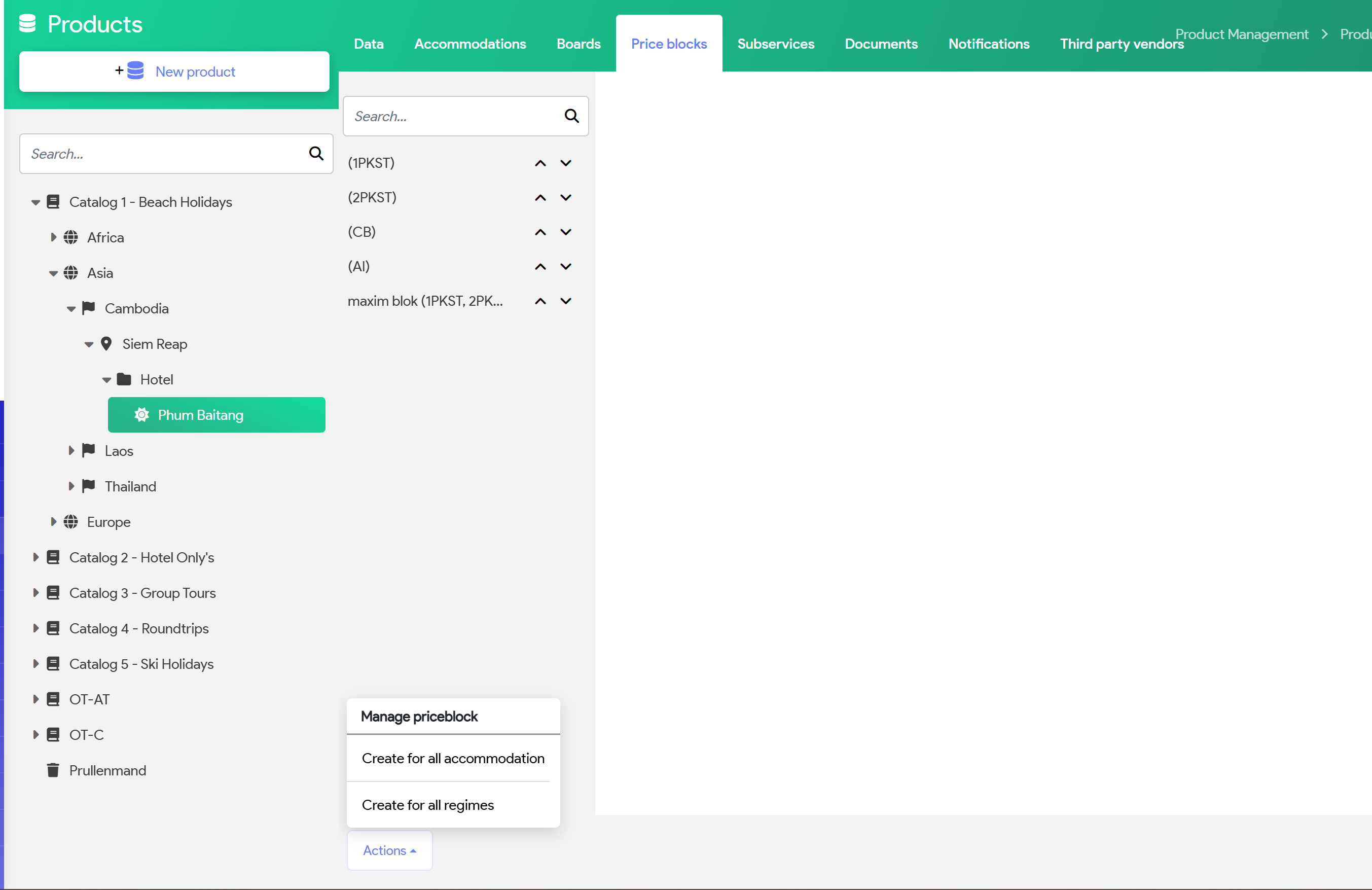
System will populate all your room types and regimes (middle column)
You can start with adding prices for each type and for the correct Season
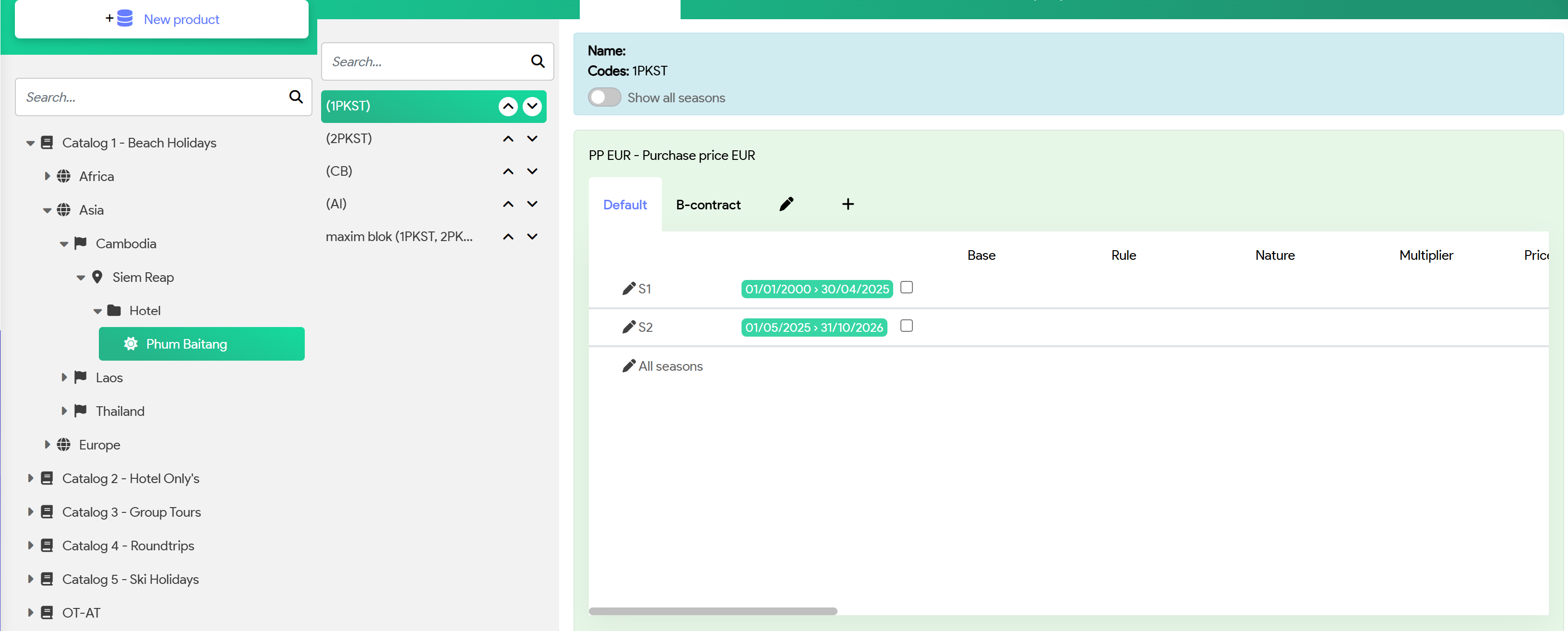
Click on the 'Pencil'
Add new Price Line
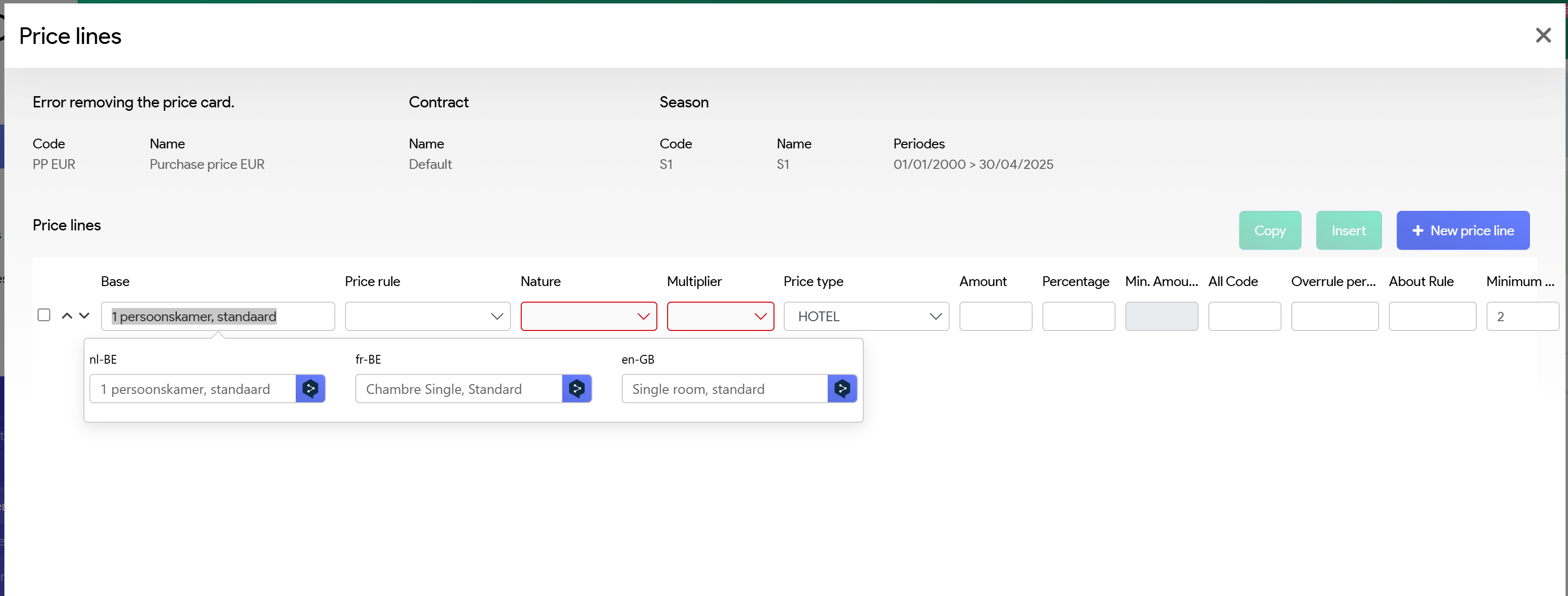


Input the necessary fields
Price rules: Based on the rules you've set up in Administration
Nature:
- Per booking
- Per PAX
- Per Unit
Multiplier
(Move to the right)
Minimum and max age. This is specially related to Children's ages
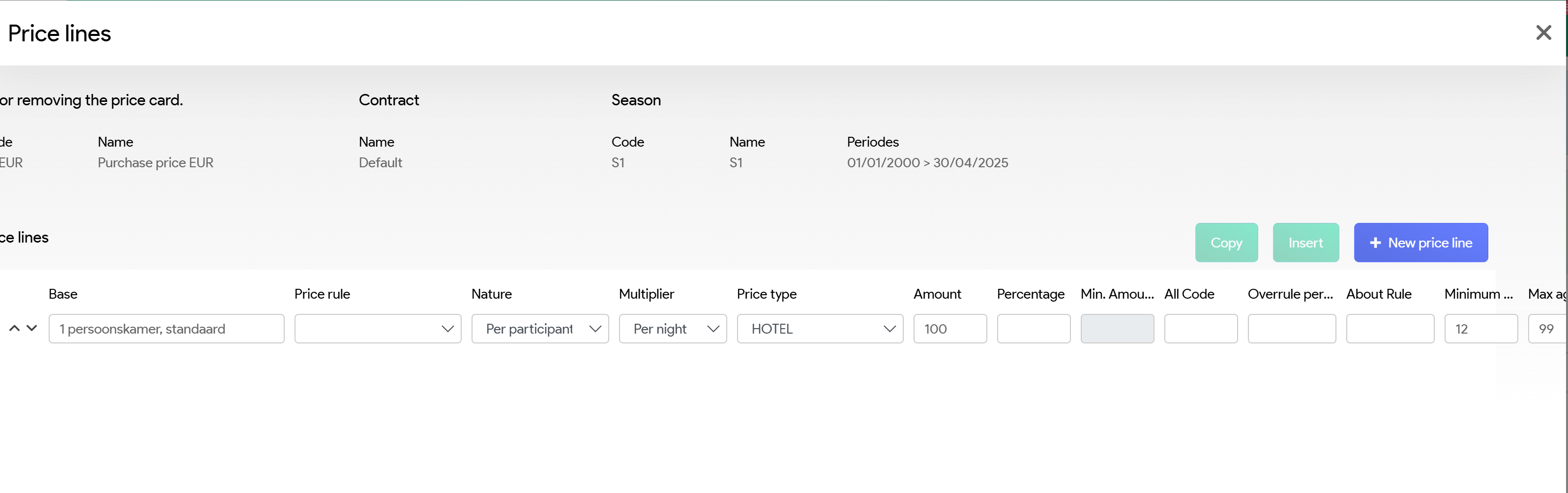
Once data has been inputted, hit save on the bottom.
Recommendation is NOT to generate the Selling prices
- If selling prices are calculated and your Buying price is in foreign currency, system will not update the Selling price when you update your Exchange rate
- You should only calculate the Selling price, if you want a fixed Selling price, not fluctuating based on possible change of Exchange rate or Margin set up changes.
* If you want to add as example, a Administration fee to your bookings, you can set up a Selling price block, without a Buying price block