
Go into your product and select the tab Notifications
Select New
System will populate blanco screen
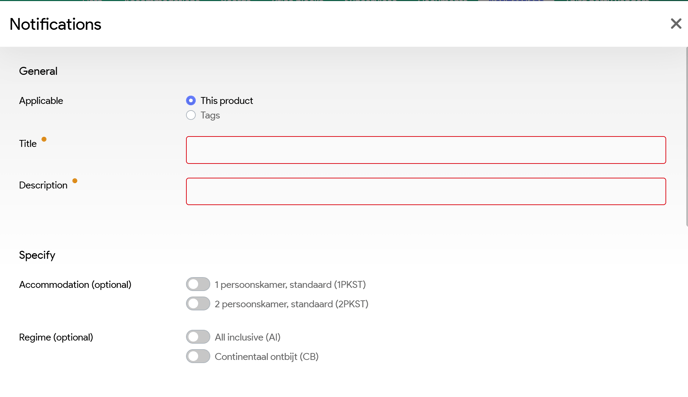
Title: Name:
- Ensure it's clear for other users
- Example: SS 2PKST
Description: Stops Sales for 2PKST room
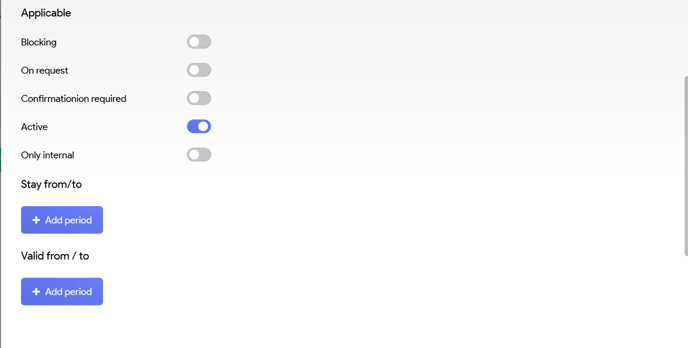
Applicable:
- Blocking --> You cannot book this product anymore
- On Request --> You can still book this and On Request process (if set up) will start
- Confirmation required --> Notification for the user, which they have to 'Confirm' as read. This would be used to inform your team, as example, that the swimming pool is not heated from April 1st till May 30th
Valid from / to: Time range to be inputted, from which dates this notification should be active.
If there is a Stop Sales for all products for example the month of May, then you can select all the room types above.