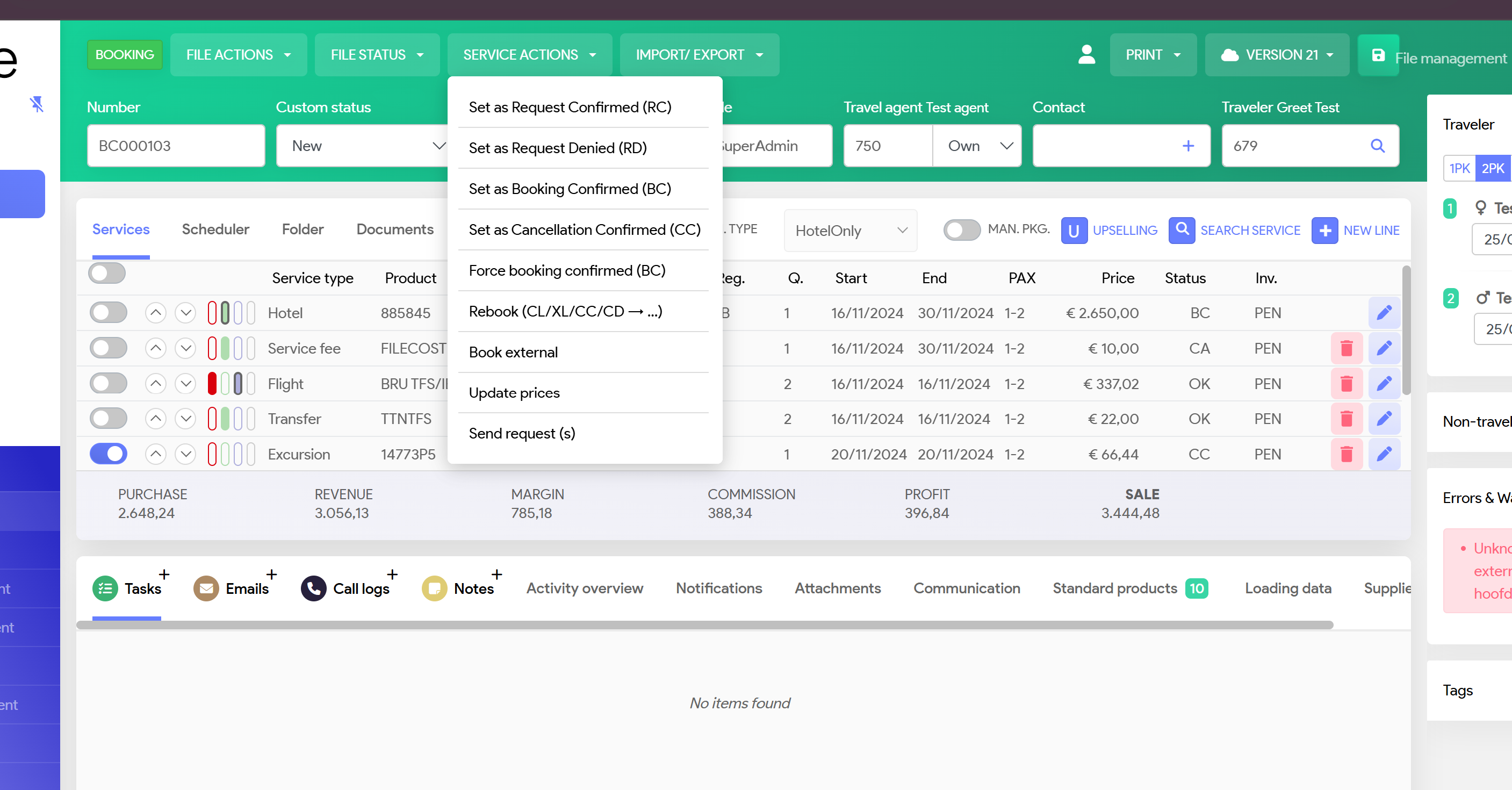
Select the service line in your booking, which you want to cancel
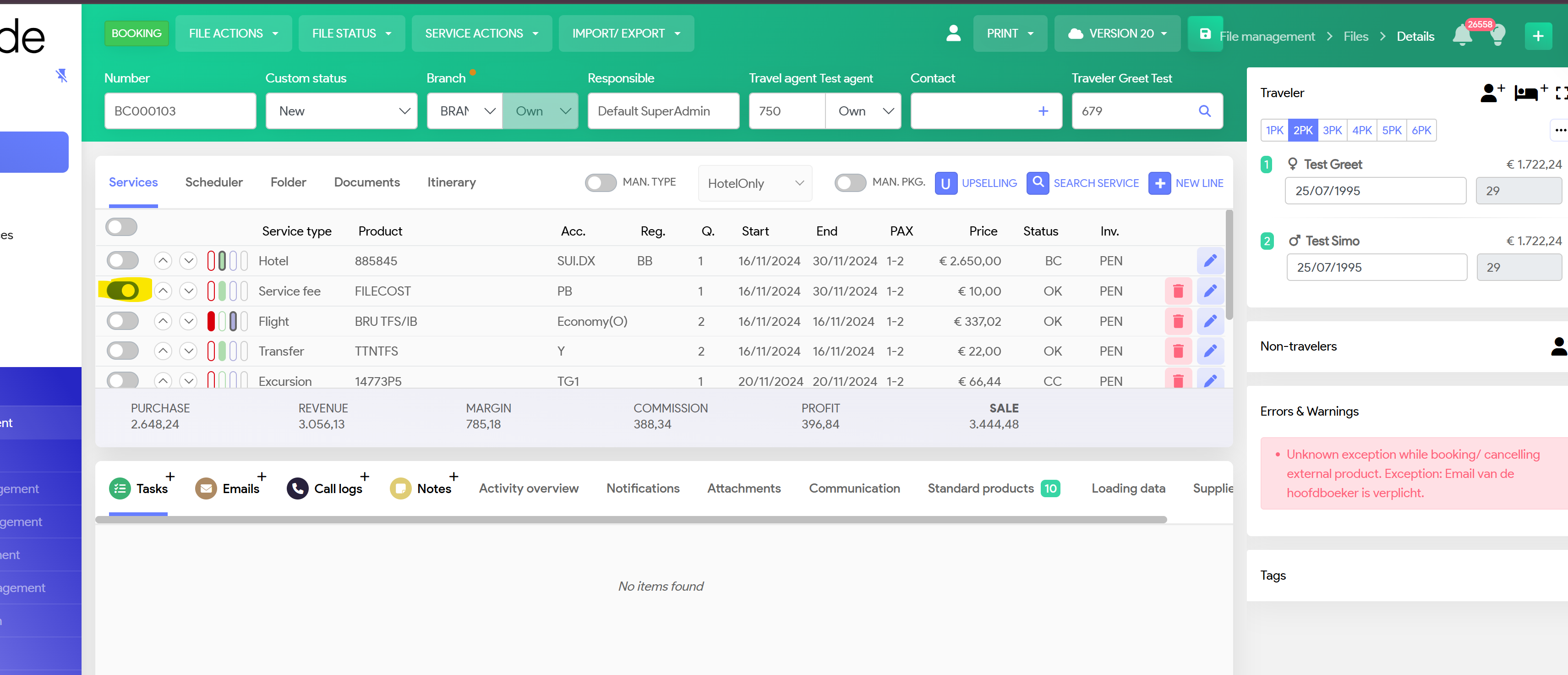
You have 2 options to cancel a service line
1. Select File Actions and select Cancel by you or Cancel by Client and Confirm
System will cancel this service line only and you'll see the status changed to
XL = Cancelled by you, ie without any costs
CL = Cancelled by client, with costs
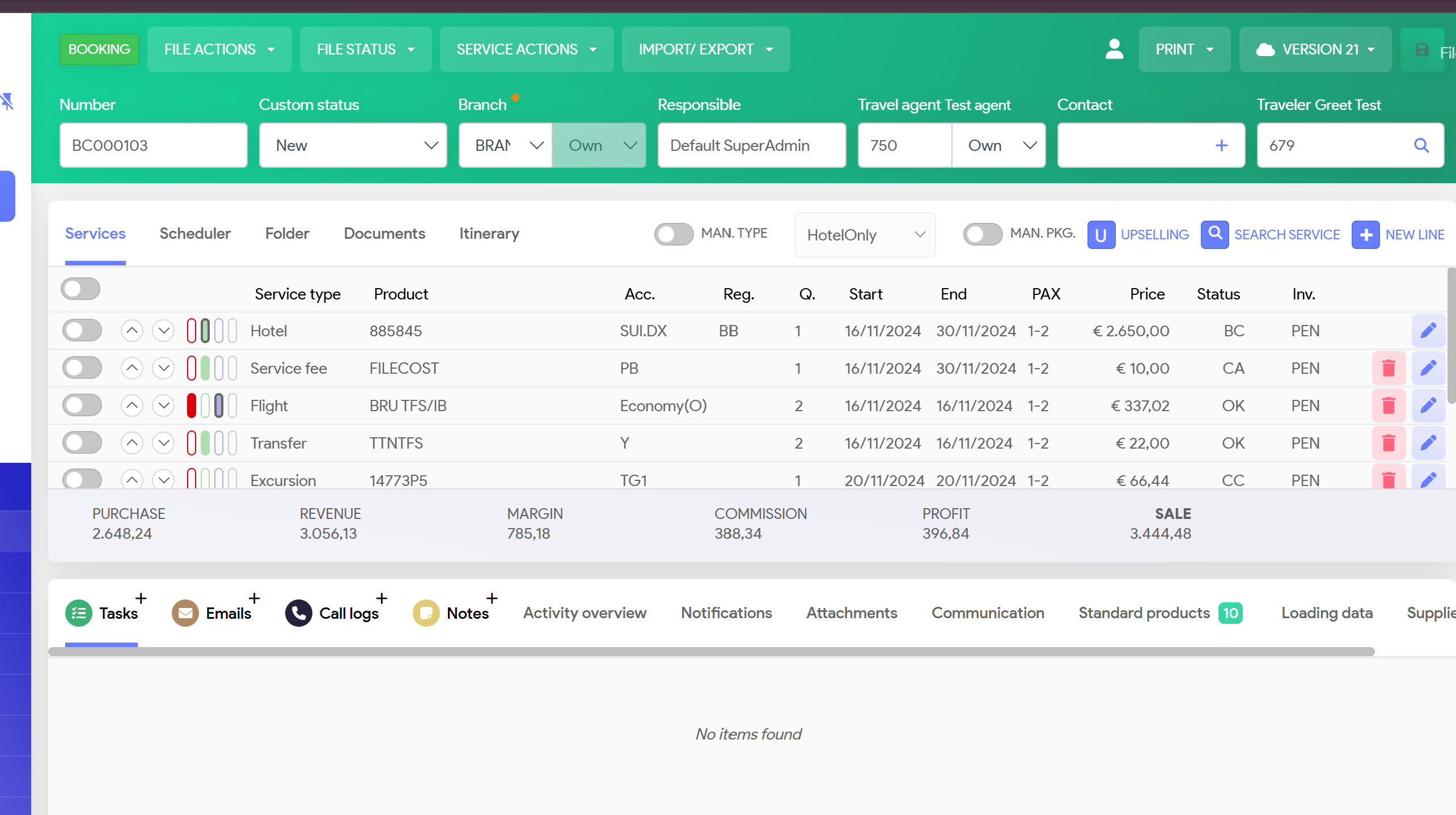
2. Select the line you want to Cancel and select Service Actions
Select set as Cancellation confirmed