
Start from an existing Offer
Select from the Booking menu - all files
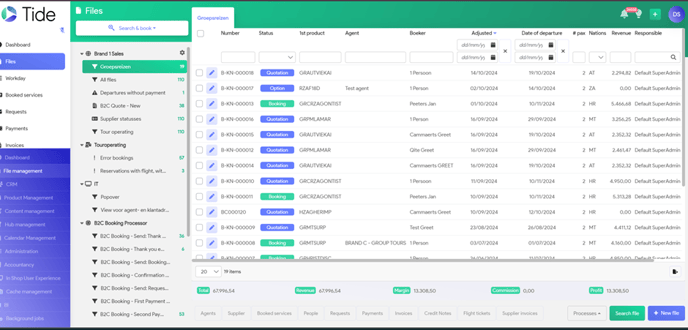
Select the file you need - Currently, your file has in the Right top corner Status Quotation
To ensure that price is still valid and Service is still available, you need to 're-calculate' your price line:
Select the line in your booking by clicking on the Blue pencil
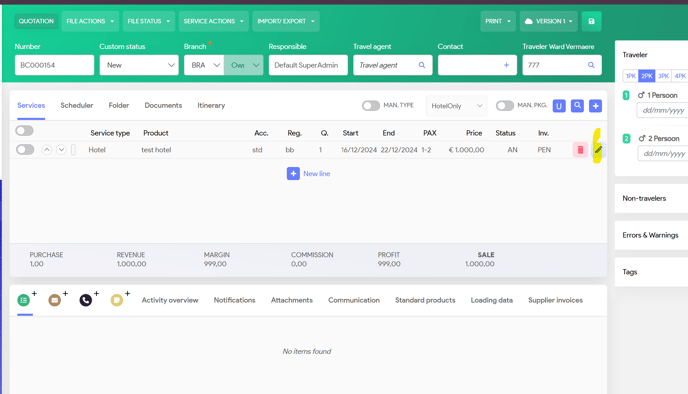
You have 2 options to re-calculate the price
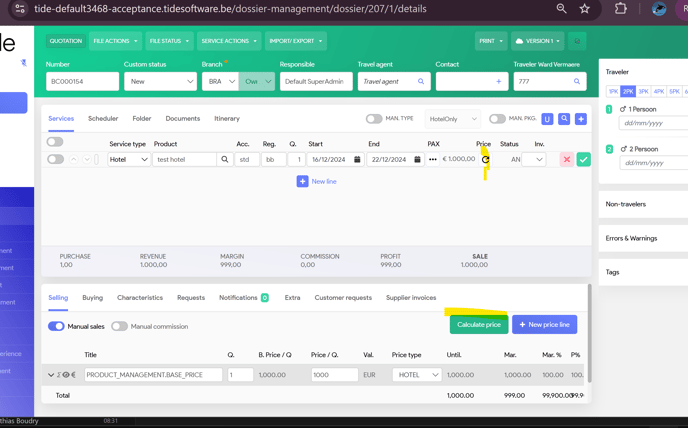
1. On the price line, click on the little wheel
2. In the selling price section - Click on Calculate price.
In both cases, system will not only re-calculate price, but also will re-validate the availability of your service
If you do not want your selling price to be re-calculated, then open the Manual button. System will not calculate the new price and as such, in case of a change in Currency values, system will keep the currency, which was valid at time of booking.
In case you had an Early booking discount, valid at time of Offer, you need to check if this is still valid, otherwise rate needs to be re-calculated.
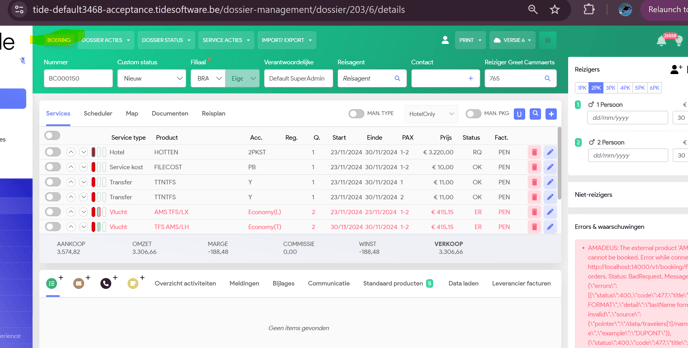
Once done, Select File Status and click on Booking
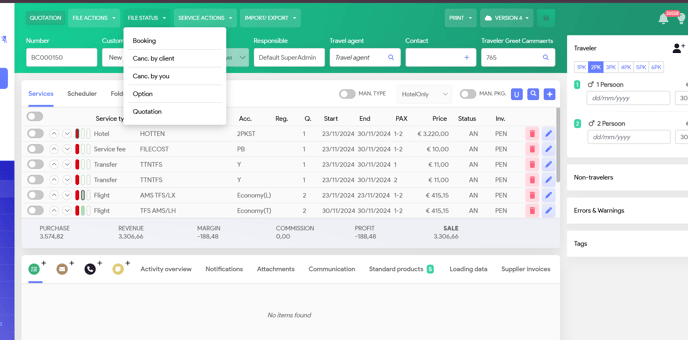
Now you will see the Right top corner changed into Booking
You could also start a booking from a blanc screen, same as a new Offer.
When you save your file, you choose File Status 'Booking' straight a way