
Getting started in the booking module
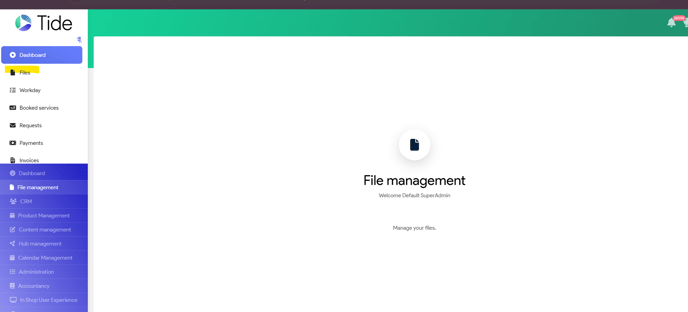
Select from your main menu File management
Select files
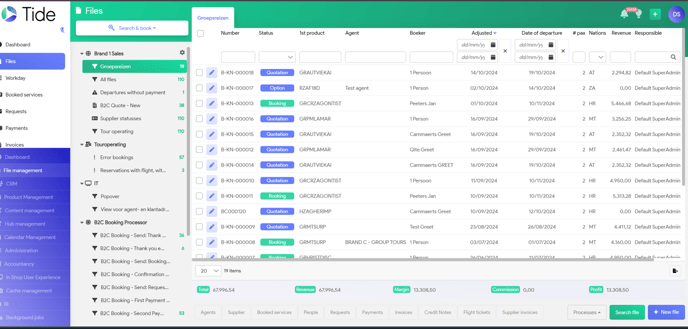
Select on the right bottom corner: New File
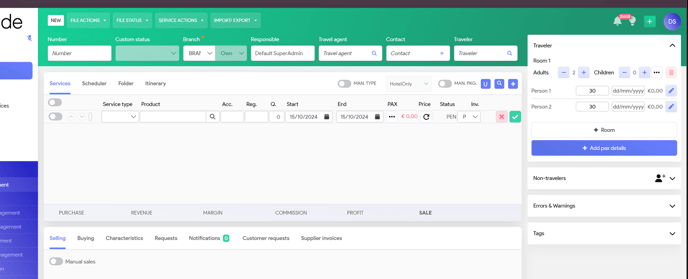
Blanc booking screen will be populated
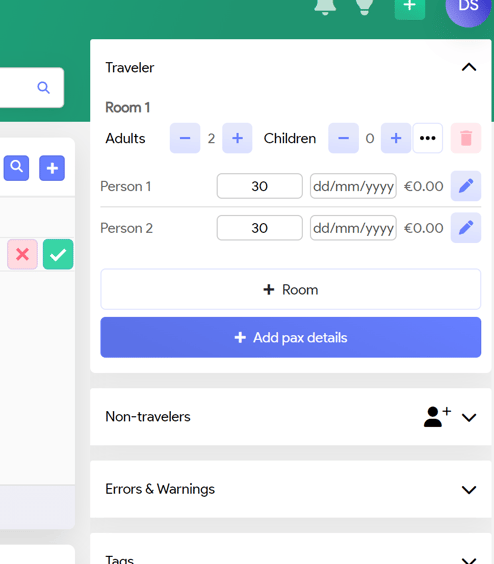
Travel Party
On the right side, you have the Travel Party. System will default to 1 room with 2 adults with average age of 30.
To add more people, or children or additional room à Click on the blue buttons
To ensure system is calculating correct Children’s prices (reductions), input the correct age (for Offer stage, no birthday is needed)
Main Part

Booking number Will be populated automatically
Custom status Will be populated automatically
Brand Will be set up with default
Travel agent Travel Agent needs to be set up in CRM and can be populated here.
Contact Contact party at the Travel Agency
Traveller Main booking party
It is mandatory to fill in or Travel Agent or Traveller, otherwise system will not allow you to safe your offer or booking
Manual input of service lines
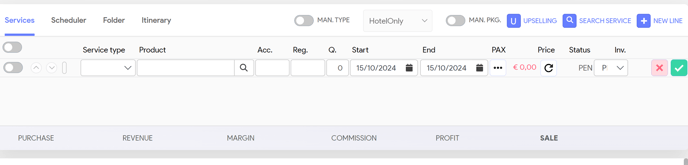
Service type Hotel, Flight, Excursion… (system will populate based on your product)
Product Input the name of your hotel
Acc Name of accommodation (Eg. room type)
Reg Board type (Eg. BB, HB..)
Q Number of rooms
Start Start date of the service
End End date of the service
Pax Which people will share this service
Price Will be calculated based on below input (see Purchase & Selling price)
Status Status of your service line (Pending, booked ok, On Request..)
How to save your offer
To save your offer, you need to input
- a customer name (in the Traveller field)
or - a Travel agent
Once done, you can save your offer by selecting ‘File status’ button, Quotation (offer)
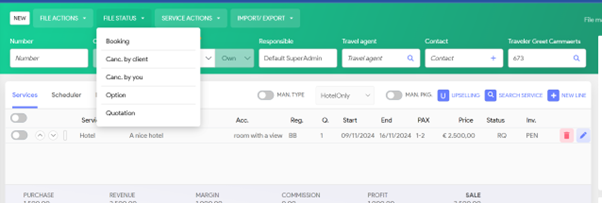
If all input has been validated and correct, system will populate your next available Number