As long as you are in offer status, you can add different ‘Variants’ of a booking.
Example, if you want to add a flight line to the original offer, but keep the original offer, you can save this new one as ‘New variant’
So you can have 2 (or more) different offers with the same number, but different variants
Go into your offer and select File actions
Select New Variant
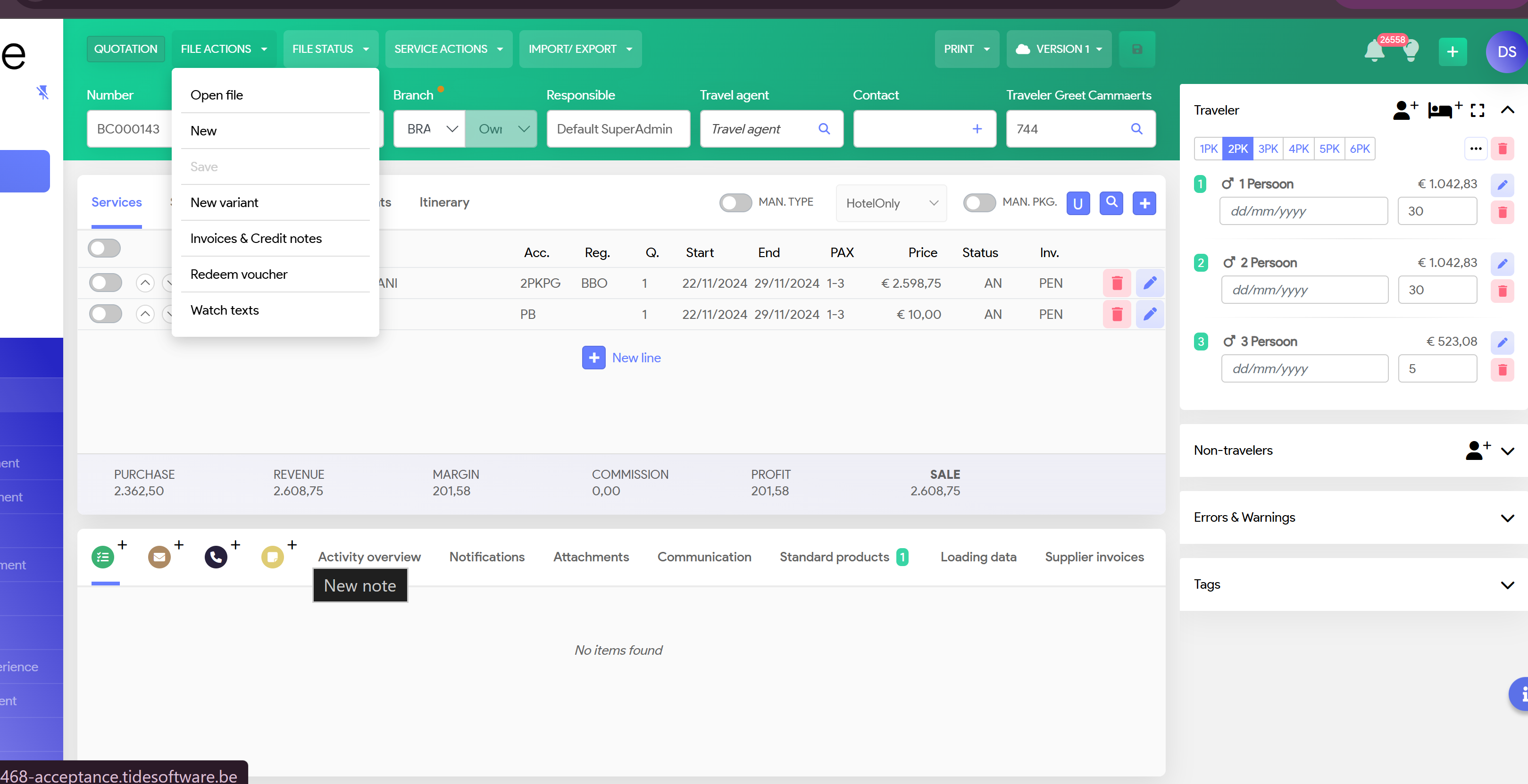
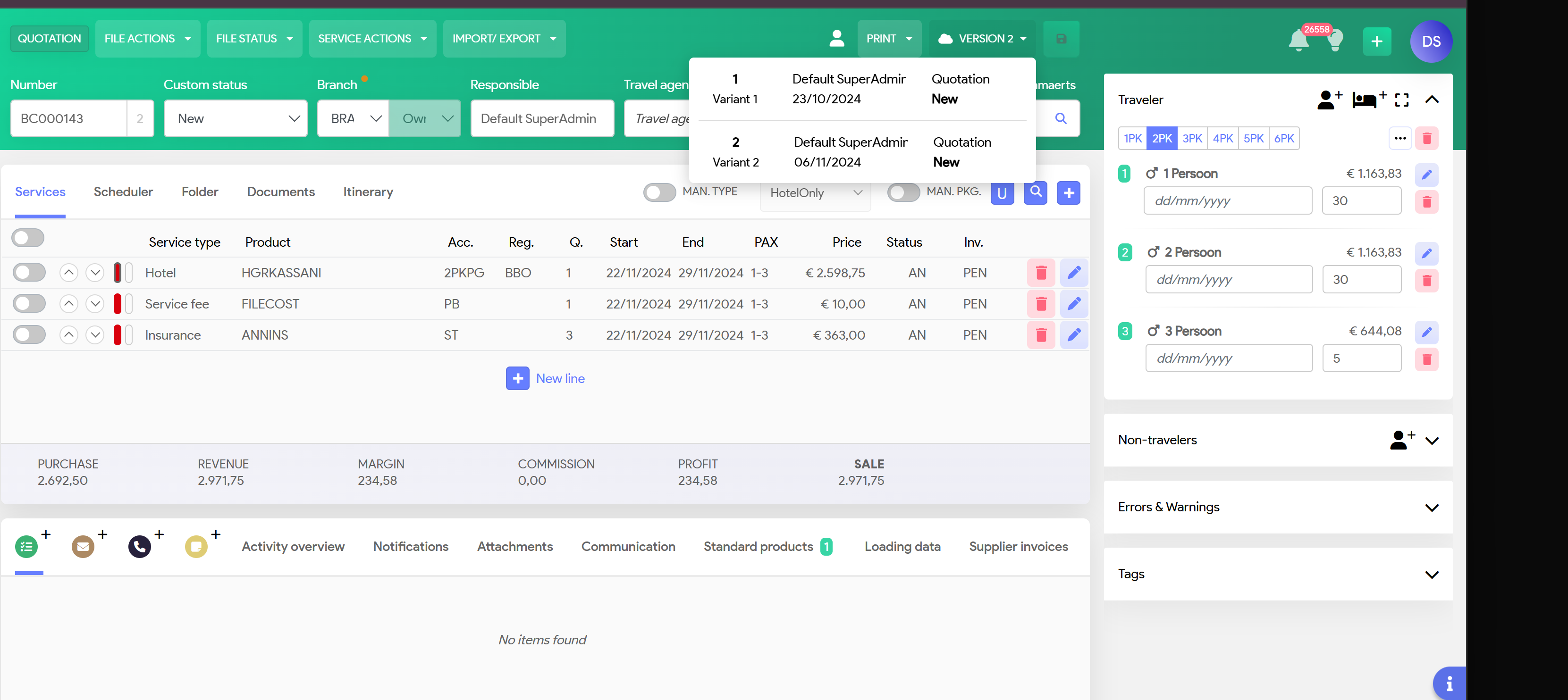
Add your additional serivce line and save.
If you select Versions, you will see that this offer has 2 variants
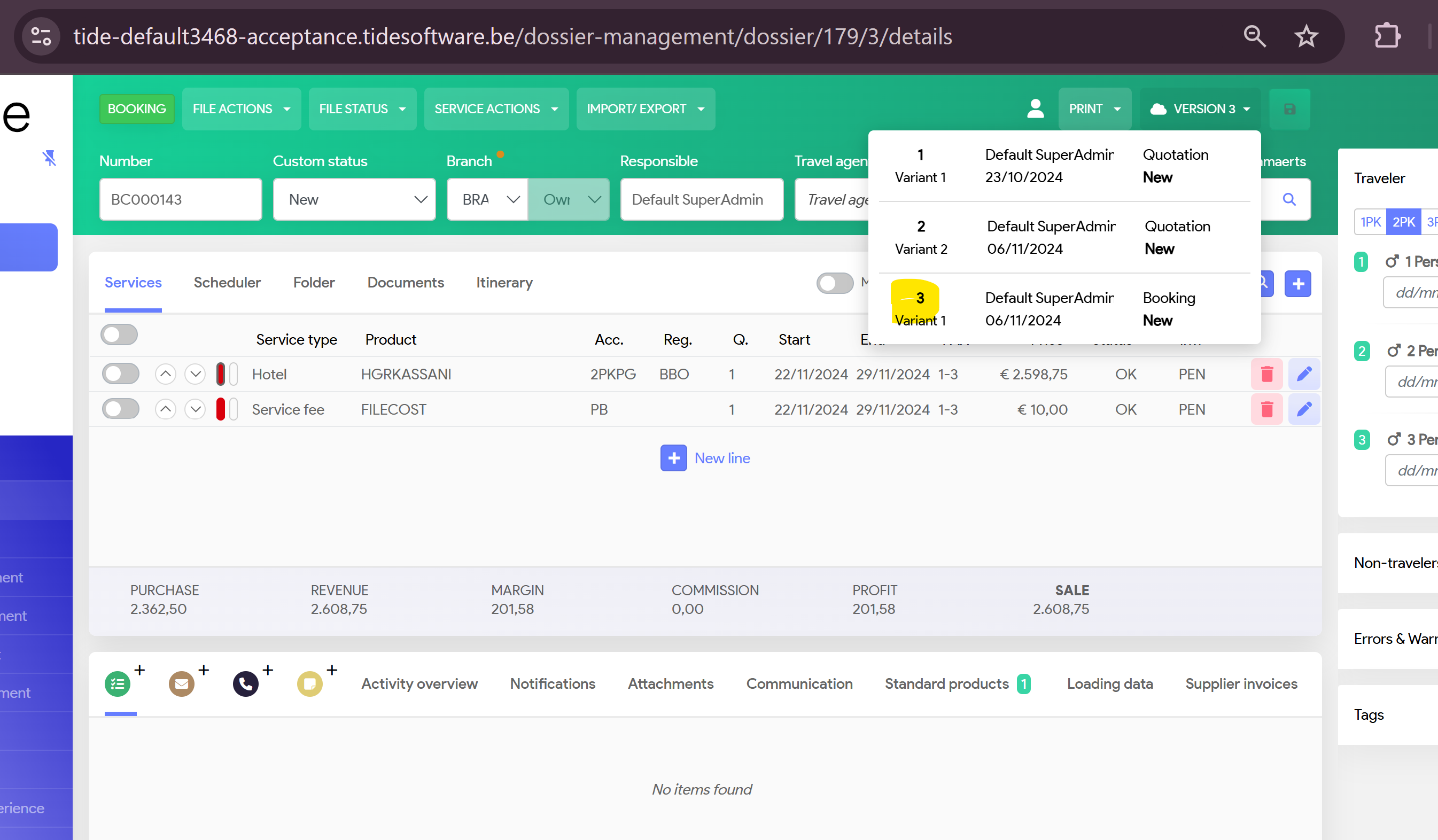
If you want to book Variant 1, select this one and go into File Status and select Booking
Once you go and select your version again, you will see that in this case, system has 'saved' Variant 1 in Version 3