
Selling and buying prices
If you have your buying price available, you can input that on the tab Buying price
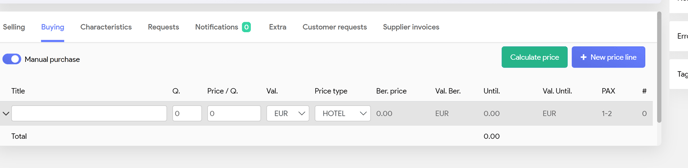
Title Basis of your price
Q Quantity
Price AP you have received from your supplier
Val Currency of your supplier
If you buy in foreign currency, you need to set up your Rate of Excange in Admin (See set up Administration)
(or calculate it manually for your selling price)
Price type, ex. Hotel or flight (is important once you work with margins and automatic calculations of your selling prices)
If all fields are inputted, you can push the ‘Calculate price’ button. System will calculate the selling price based on the margins and rate of exchange (if needed)
- With the ‘Calculate price’ button, system has populated the selling price, based on your input of Currency exchange and Mark up (See Administration)
- You can also input your selling price manually, same as above.
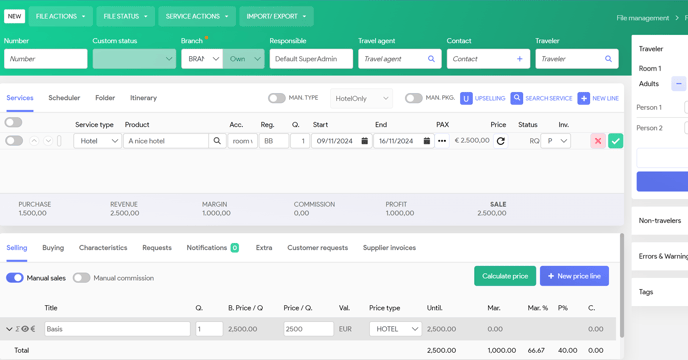
You need to ‘close’ your line with clicking on the green ✅