
Go into the booking for which you want to print an invoice
Select Invoices & Credit notes
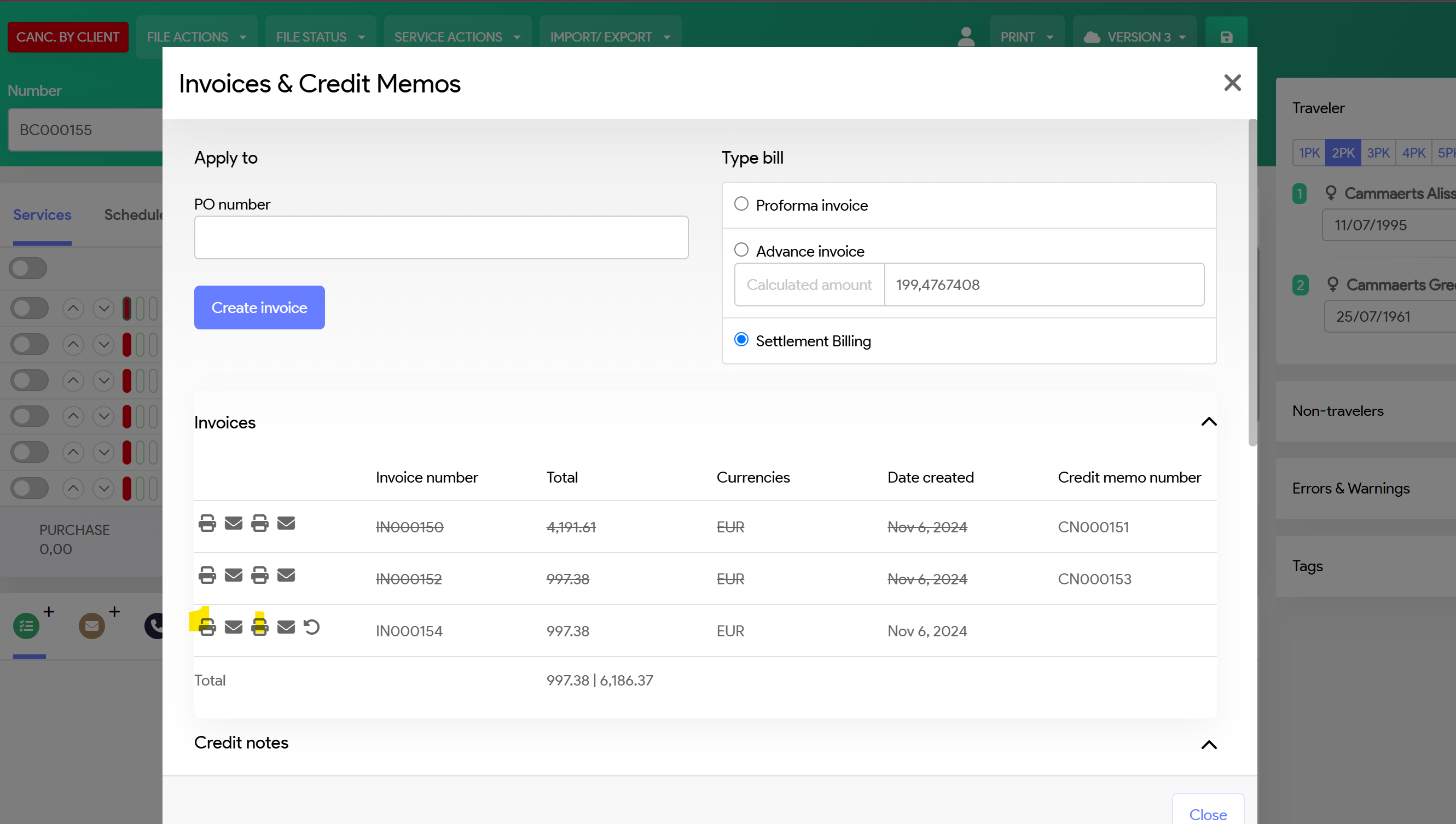
You will see Printer and Envelop symbol
Left printer: will give you a PDF with the Cancellation Confirmation document of your booking
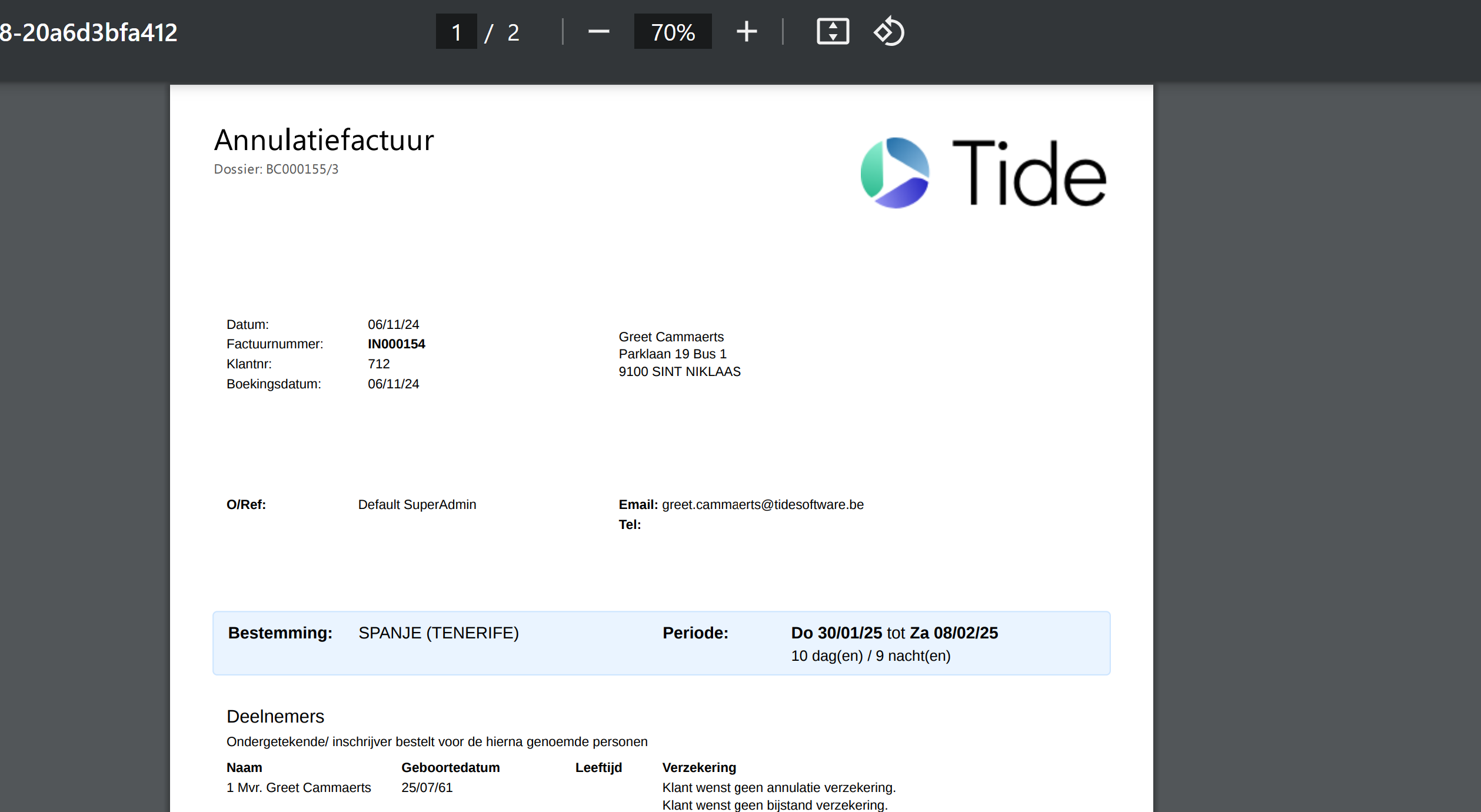
Right printer: will give you a PDF with the Cancellation Invoice of your booking
Left Envelop: will enable you to sent the Cancellation confirmation document as mail attachement
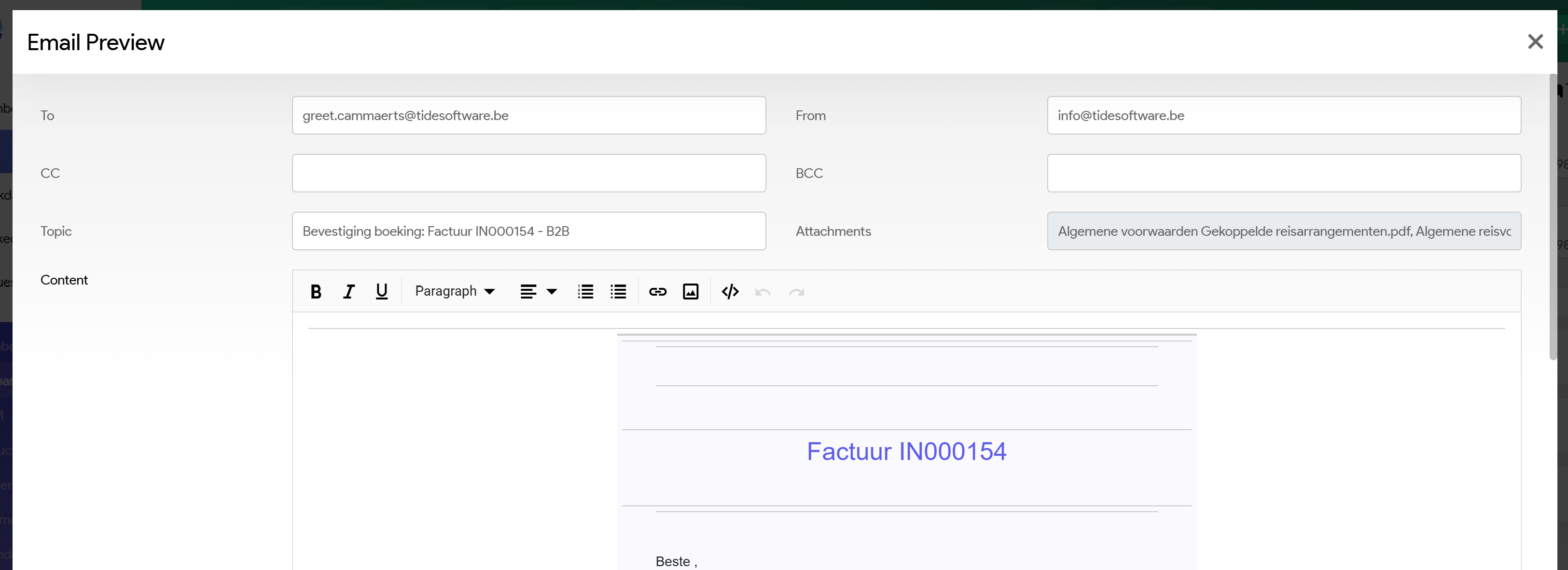
Right Envelop: Will enable you to sent the Cancellation Invoice as mail attachement
Template of emails, see section Processes