
How to resolve a failure while booking an product connected to an external vendor (API) such as bedbank.
When a service line connected to an external product enters the ER (Error) status in Tide, it indicates a failed booking attempt with the external system. Resolving this requires analyzing the error, correcting any incorrect input, and re-attempting the booking.
Diagnosing and Resolving the ER Status
Step 1: Analyze the Error Message
Tide provides a specific error message for each failed booking. This is your first clue to resolving the issue. Possible causes include:
-
Missing or incorrect birthdate
-
Unavailable rooms or other non-bookable configurations
-
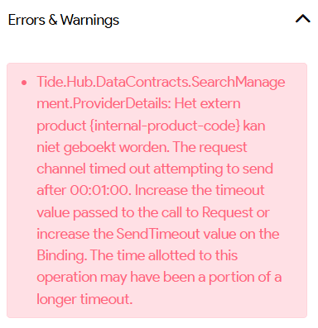
Generic error like a timeout with the external system
Example of a time-out
Step 2: Correct Any Input Errors
If the error reveals incorrect data:
-
Go to the traveler or service data and correct the issue (e.g., add a missing birthdate, select a valid room type).
-
Save the updated data before retrying.
If the error was a generic issue like a timeout, proceed directly to Step 3.
Step 3: Retry the External Booking
To rebook the service with the external provider:
-
Select the Service Line
Navigate to the service line that has statusERand select it.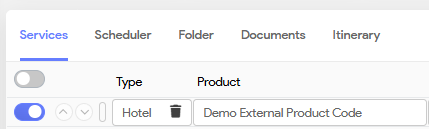
-
Go to Service Actions and select Book external
This attempts to resend the booking to the external provider. -
Check Booking Status
-
If successful, the status will update to
BC(Booking Confirmed). -
A reservation number will appear on the service line (if not the booking wasn't properly made and should be investigated further ).
-
-
If the Line Remains in ER Status
-
Check whether the error message has changed and see whether other booking criteria were missing or wrong.
-
If the issue is persistent (e.g., recurring timeout), contact:
-
The external supplier to check system availability
-
Or your software provider (Tide Software) for further technical support.
-
-