
- Knowledge base
- Getting started
How to send an invoice
G
Go into your booking
Select Actions
Select Invoices and Credit notes
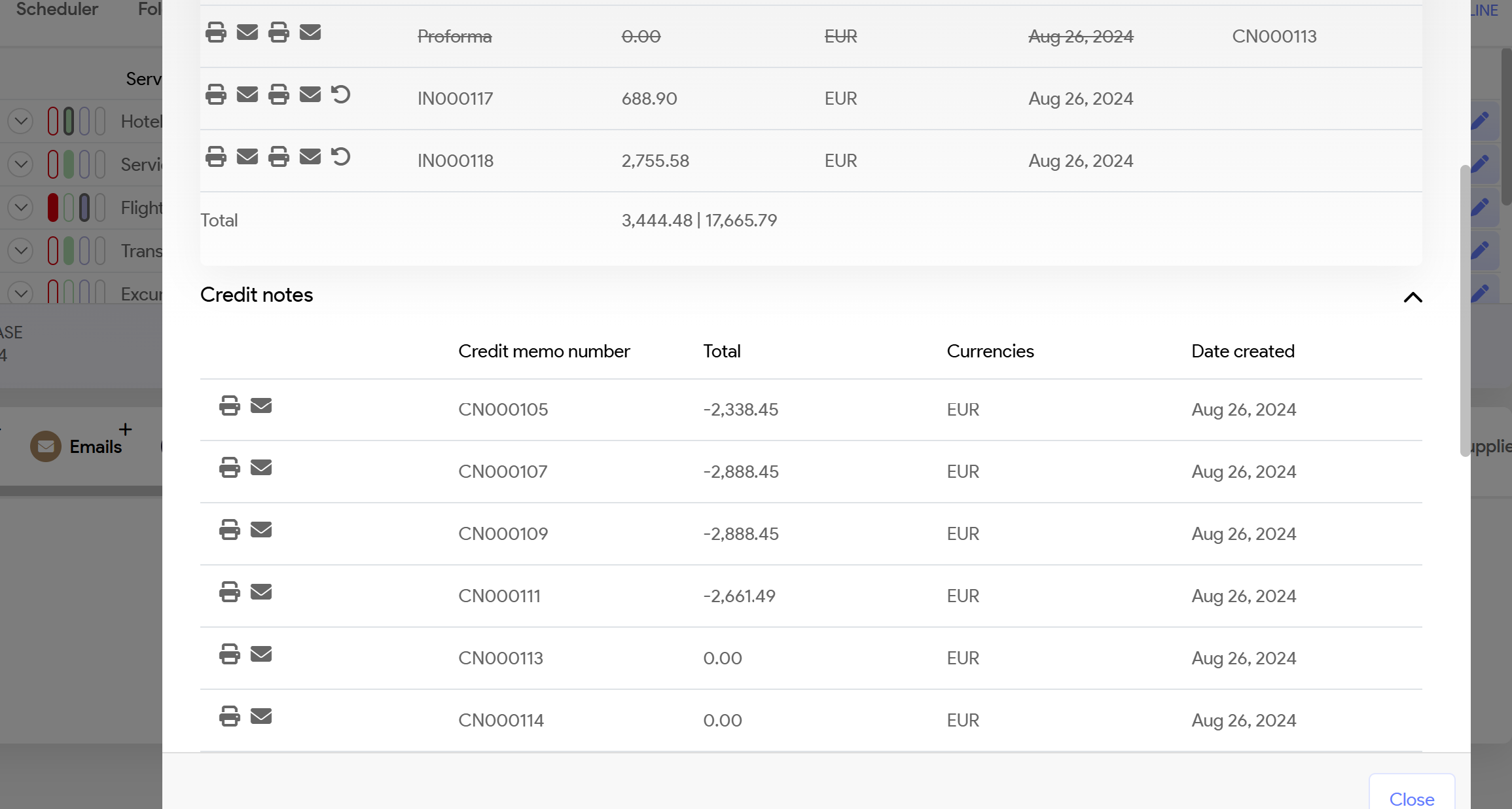
Select the envelope symbol
Left symbol = Booking confirmation
Right symbol = Invoice
System will populate Template that you have set up.
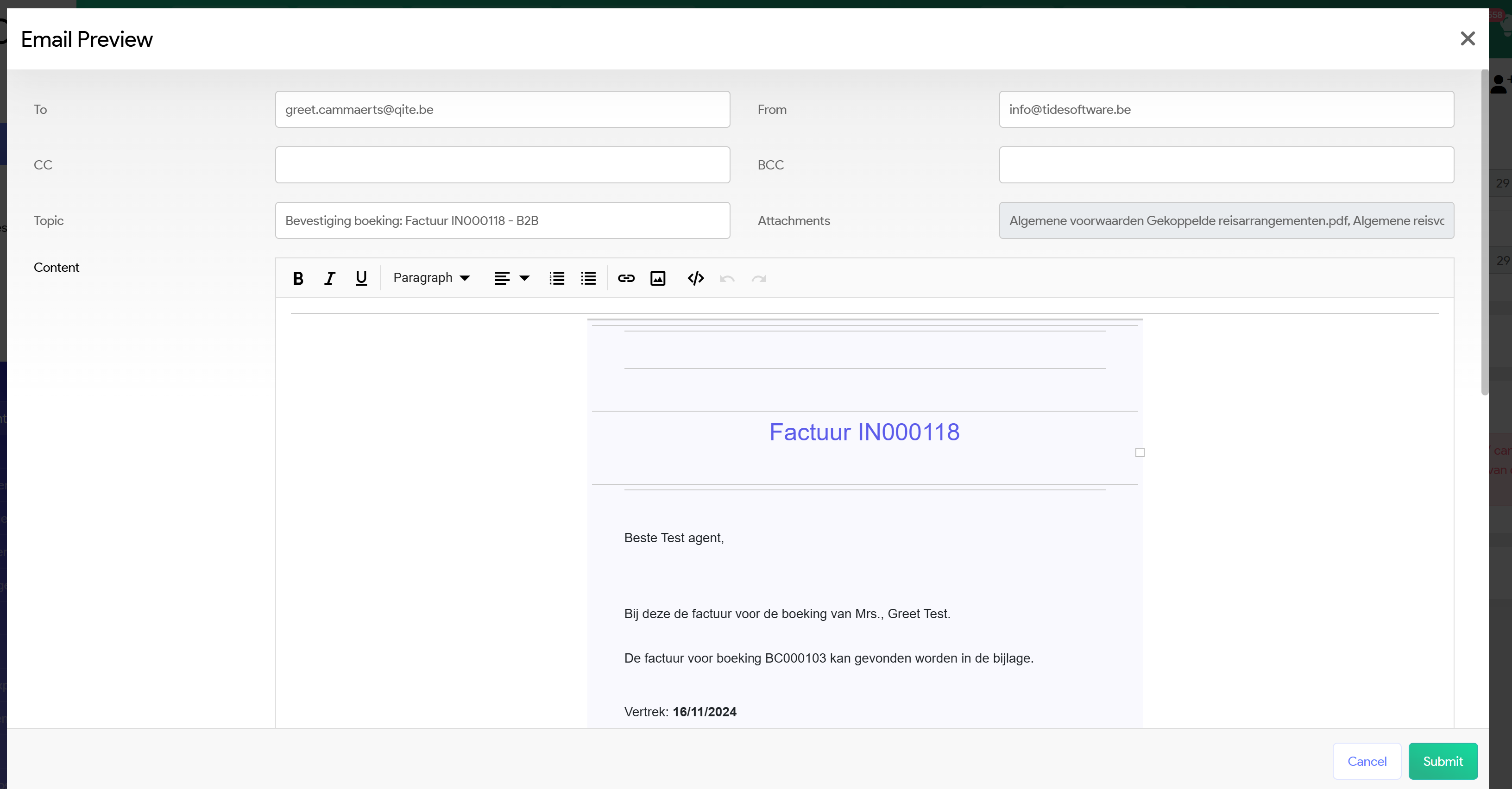
Use green button on right bottom corner Submit and email will be sent with your invoice attached as a PDF