What are quotation variants and how to use it?
Quotation variants allow you to create multiple versions of a quote when a file has the status QUOTATION. This is useful for offering different travel options to a customer for example, one version with flights and another without.
How It Works
Creating a Quotation Variant
Once a quotation has been created, go to File Actions and select New Variant in the menu.
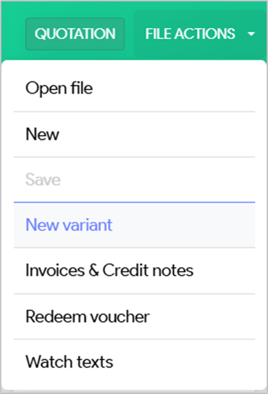
After creating a new variant, you can freely modify this version of the quotation.
Please note that selecting the New Variant option generates a new variant of the quotation; however, these changes will only be saved once you click the Save button. If you do not save, any modifications made will be lost.
Active Quotation Variant
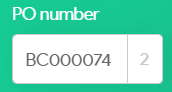
The version number of the currently active quotation variant is shown after the file number.
Quotation Variant List
|
|
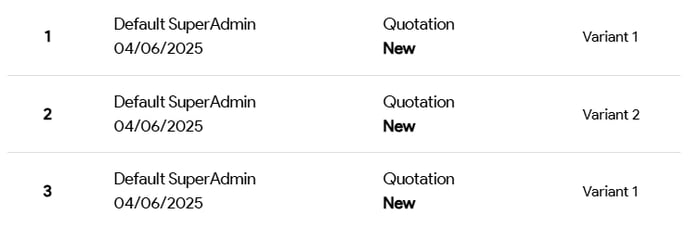
Click the Versions button to see all created quotation variants. |


In the example below, there are 2 quotation variants. For variant 1, an additional change was made that, does not count as a new variant.