Sales channels provide the link between Business units and Catalogues. It's also possible to configure products that have to be loaded in the booking, when the corresponding Business unit is selected.
Sales channel can be subdivided in 3 tabs:
Once finished don't forget to link the sales channel in the CRM address of the corresponding Business unit.
General
| Field | Description | Mandatory |
| Name | A concise and descriptive name for this sales channel | Yes |
Standard products
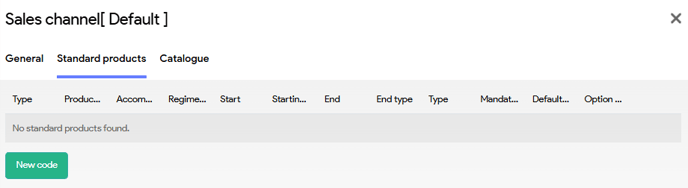
| Field | Description |
| Type | Service type of the product |
| Product code | Product code of the PIM product |
| Accommodation | Desired accommodation (leave blank to let Tide decide what the best accommodation is) |
| Regime | Desired regime |
| Start | Starting day offset |
| Starting type |
Select which start date should be used
|
| End |
End day offset |
| Type | Defines the quantity logic that should be applied:
|
| Mandatory |
Whether the product can be deleted or not. 4 options
|
| Default Option |
|
| Option group |
When Mandatory in group or optional in group is selected, the group can be identified here. |
Catalogues
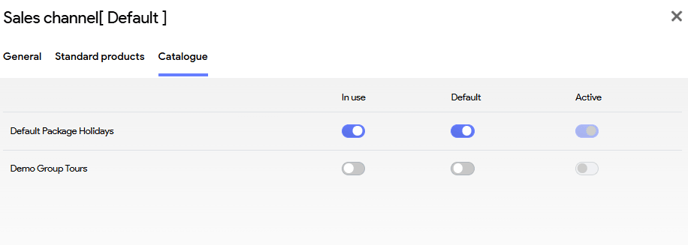
Here you can select the catalgues that can be used when the corresponding business unit for this sales channel is selected in the booking. It's also possible to set a default.