
This article will describe the properties of the Tide Business Unit.
When setting up the business unit, make sure the corresponding address has been set up in CRM. More information about this process can be found in this article Create an address in CRM.
You can reuse the same address for multiple business units, but best practice is to create a separate address for every business unit as this will otherwise also restrict you to work with the same Sales Channel
Business unit consists of 6 main configuration blocks
GeneralNumbering
Portals
Task generation
Documents
General
Main information about your Business Unit
General
| Field | Description | Mandatory |
| Name | The name of the business unit. Eg. The name of your brand, division,.. | Yes |
| Logo |
Upload the logo that will be used throughout the system e.g. for offers, confirmation, travel documents,... |
No |
| Parent POS | In case you want to BU to inherit the properties of a parent BU, you can selected it here. | No |
| Main Branch | WIP | |
| Sale type (None-EU /EU) |
Configure the default sales type for non EU en EU bookings. |
No |
| Commission excludes VAT | Indicates whether the calculated commission does or does not include Value Added Tax. | No |
| Margin excludes VAT | Indicates whether the margin is calculated excluding VAT. | No |
| Invoice payment reference | The payment reference format you would like to use on the corresponding documents | No |
| Address | The Tide CRM address that you have created for this Business Unit. This address will also have the link to your sales channel. (See architectural overview here | No |
Sale type (None-EU /EU)
For more information about sales types see Sale types

- The first field enables you to configure the default sale type in case you're booking a non EU VAT destination.
- The second field enables you to configure the default sale type in case of a EU VAT booking/destination.
- The third field indicates whether the user is allowed to modify these values in the booking.
Commission excludes VAT
- Inherit: depending on the configuration inherits this setting from either Account or
parent Business Unit - Yes: the commission is calculated excluded VAT
- No: the commission is calculated inlcuded VAT
Margin excludes VAT
- Inherit: depending on the configuration inherits this setting from either Account or
parent Business Unit - Yes: the margin is calculated excluded VAT
- No: the margin is calculated included VAT
Invoice payment reference
- Inherit:
- depending on the configuration inherits this setting from either Account or
parent Business Unit
- depending on the configuration inherits this setting from either Account or
- [DossierNumber]:
- the booking number will be used as payment reference
- [Invoice number][File number][First letters of main booker's last name]:
- Custom reference format which is
-
Structured payment reference (OGM)
The Structured Payment Reference (OGM) is a specific format used to create a standardized reference for payments associated with bookings. This reference helps in the easy identification and reconciliation of transactions, ensuring accuracy and efficiency in financial processes.
Configuration
| Field | Description | Mandatory |
| Standard selling price card code | Standard price card code that will be used when creating a product | No |
| Global invoicing | No | |
| Sell Currency | Currency that will be used for selling prices | No |
| Payment terms | Default payment terms | No |
| Cancellation Policy | Default cancellation policy | No |
|
Option duration
|
Option Duration | No |
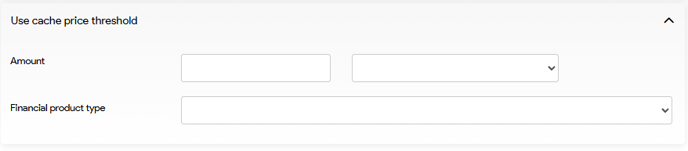
Cache
System fields to be configured by a Tide system engineer.
Email addresses & Email templates
| Field | Description | Mandatory |
| Request handling email | Email address from which availability request will be sent | No |
| Invoice email | Email address from which invoices will be sent | No |
| Email for travelers | Email address from which clients will be contacted. | No |
| Email template request | Template that will be used to request availability with the supplier for products that are on request. | No |
| Email template confirmation | Template that will be used to confirm to booking with the supplier (IDM process). | No |
| Email template modification | Template that will be used to inform the supplier that the booking has been changed. | No |
| Email template cancellation | Template that will be used to inform the supplier that the booking has been cancelled. | No |
| Email template customer | No | |
| Email template base | No |
Numbering
Set the format of the numbering system you would like to use in Tide.
Applicable to all numbering format configurations in Tide such as File numbering, invoice numbering, Credit Note numbering, Supplier numbering and Self billing numbering.
The numbering format configuration consist of 3 parts viz.
- Prefix: A desired fixed prefix that can be assigned at the beginning, can be alpha - or numerical.
- Start number: The initial number at which the numbering sequence begins.
- Suffix: A desired suffix that can be assigned at the end

Invoice and credit notes follow each other
Specify whether you want invoices and credit notes to share a single numbering sequence or to have distinct numbering orders. Our recommendation is sequential numbering of invoices and credit notes, so indicator should be left enabled.
When the indicator is enabled
- INV001
- INV002
- CR003
- INV004
When the indicator is disabled
- INV001
- INV002
- CR001
- INV003
Portals
Coming Soon: Stay tuned for updates on the upcoming features and functionalities related to Portals.Task Generation
For more information about tasksNext chapter: Set up a Catalogue