
Business units will represent the Brands/Divisions within your company. How complex the setup of your BU's needs to be will depend strongly on your specific business, brands, divisions, payment terms, cancellation terms, email templates, file numbering, invoice numbering ... The more exceptions and differentiation that need to be made, the more business units it will require.
More business units will offer you more flexibility and a dynamic business, but will also raise the complexity and maintenace.
In this article we'll address the following topics that will have an impact on the BU setup
Company Size
Depending on the size of your company you might need to setup one or multiple business units.
Small companies will most likely benefit most from single business unit model, where all settings can easily be set up and maintained.
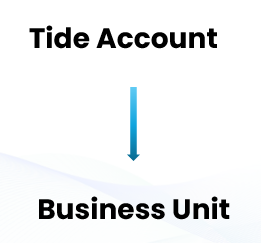
Where large companies may find themselves wanting needing a more complex architecture, which requires setting up multiple business units, possibly even in an multilayered structure, in order the properly organize themselves.
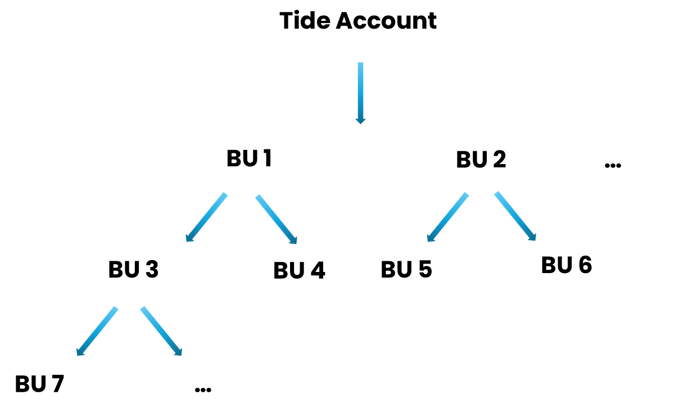
It is strongly advised that the setup of BU's is thoroughly analyzed before starting the configuration. One should always try to keep the balance between functionality and maintenance.
Why opting for multiple Business Unit
Whether you need more than 1 Business Units will strongly depend on your specific needs. Below you will find some key questions/factors to guide you in this decision.
Does your business have multiple Brands?
Are you looking to sell multiple brands with distinct brand styles (differtent name, logos,...) and utilizing different email addresses for your communications?
Use both packaged and depackaged pricing for your documents?
If your business intends to offer both packaged and depackaged products, it will be necessary to create two separate business units.
Do you want different file or invoice numbering format throughout your company?
If you want for example that one division has a file number format with A000001 and another division has a numbering that has a format like B000001. This can be done by setting up 2 business units.
These payment terms are not applicable on Agent payment terms, which will be configured on Agent level.
Do you require different formats for the invoice payment reference?
Inheritance & Overruling
In Tide it is possible to inherit settings from both Account and other Business Units. This powerful mechanism will - if used correctly - save time and effort while setting up the business units.
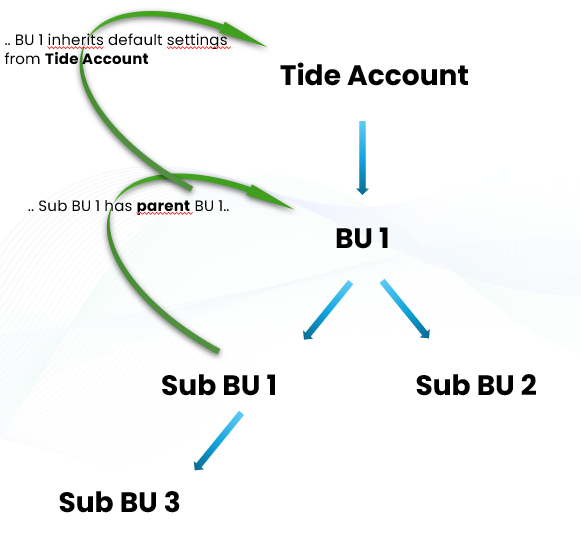
In the drawing above we have an example of 3 layered Business Unit setup:
- BU 1 inherits default setting from Tide Account.
- E.g. file numbering is setup on account and is the same for all BU
- Sub BU 1 inherits all settings from “parent” BU 1
- E.g. Sub BU 1 and Sub BU 2 both use the file numbering as configured on Account, Sub BU 1 and Sub BU 2 use a different invoice numbering which is overruled on the Sub BU's
- Sub BU 3 inherits all settings from “parent” Sub BU 1
- Sub BU 3 will follow the file numbering as defined on Account, invoice numbering as defined on Sub BU 1, but for this specific BU we'l use different Payment terms
Next: setting up business unit