
In this article, you will find information about setting up the Catalogues tab and the Sales channel tab
Catalogues
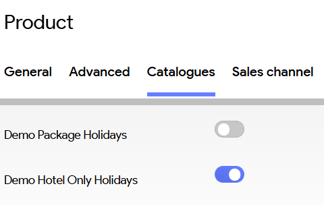
The Catalogues panel allows you to choose in which Catalogues the product may be sold. This feature provides you with the flexibility to align with sales strategy.

For each catalogue that has been set up in the Administration section (for detailed guidance on catalogues, refer to the "Set up a Catalogue" article), you have the option to specify whether the product is available for sale for this specific catalogue. This can be easily managed by toggling the switch to the "on" position.
If no catalogues are selected, the system will automatically make the product available for all catalogues listed.
Sales channel
The Sales channel panel allows you to choose for which Sales channels the product may be sold. As the sales channel is linked to the Business Unit, this will also restrict the product from being sold when the user is working with the corresponding Business Unit.
More information about sales channels and business units, please consult the following articles
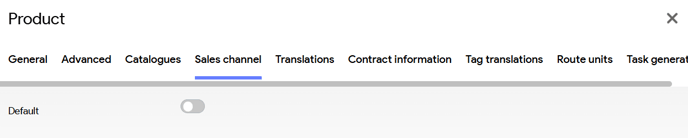
Allowing the product to be sold for a specific Sales channel can be easily be managed by toggling the switch to the "on" position.
Save
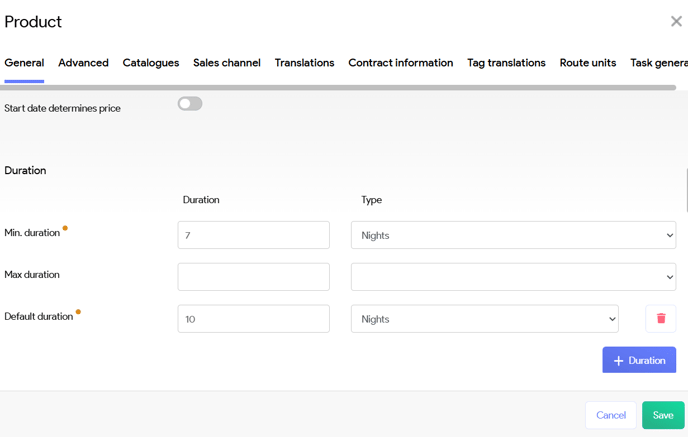
In the lower right corner, you will find the option to save the customized settings you have made..
| Previous: Create a product - General | Next: Create a product - Accommodations |